My technique
Recent
Analyze Video
A few choices, one clip from the side. 20–90 seconds to a report.What are you analysing?
A clip for the full report, or one photo for a static bike fit.
Sport
Your clip
Drop a file, pick one from your phone, or film right here with a framing guide.
Position
Where your hands are. Pick the family, then the exact position.
Details
All optional. Auto-detect is right for nearly every clip.
Camera side: Auto-detect change
Which side of you faces the camera. Auto works on most clips; set it yourself if the skeleton ever lands on the wrong leg.
Setup & body details optional
Want us to look at something specific? optional
Your coaching notes answer it first. If this clip can’t — a view the camera didn’t see, a force we can’t measure — you’ll be told that instead of given a guess.
- Your clip never reaches an AI service — only anonymous joint angles do
- Clips auto-delete (7 days free, 30 on a plan); photos are never written to disk
- No ad trackers, nothing sold — privacy policy
Three things decide whether the numbers are worth reading. Don’t overthink the rest — a phone propped against a water bottle works.
-
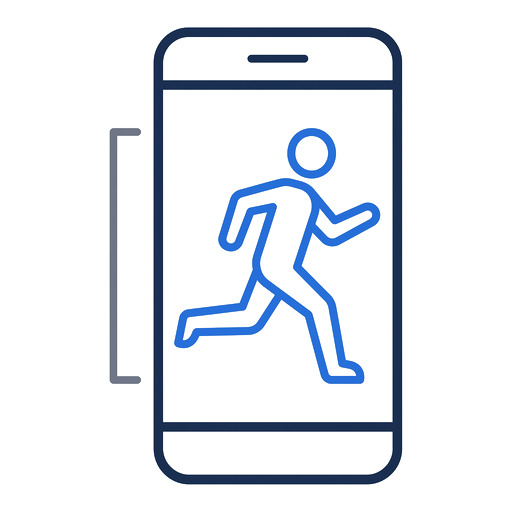
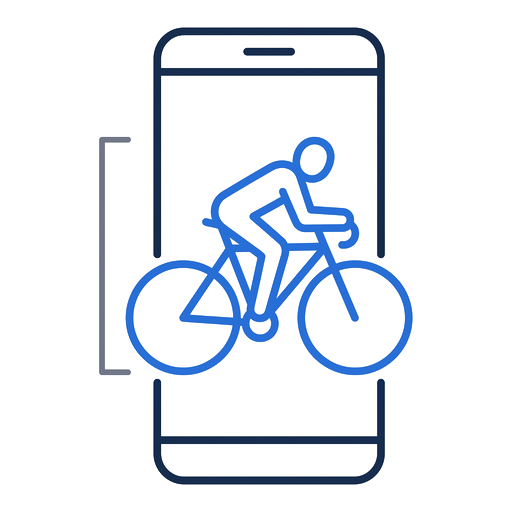
Fill the frame. Head to feet should span about two thirds of it. Sky above and ground below are what wreck the measurement — this rule is worth more than every other one here combined.
-
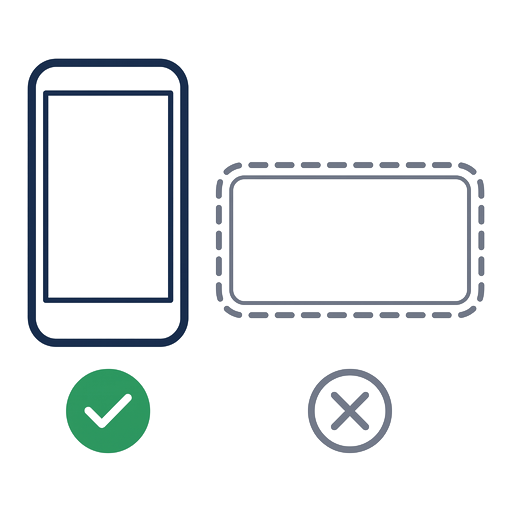
Hold the phone upright. Portrait puts nearly twice as many pixels on your legs as landscape.
-
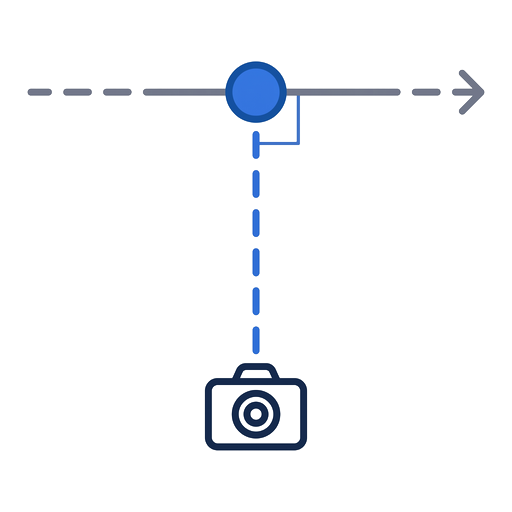
Film from the side, camera at hip height. A few degrees off exactly 90° actually helps separate the legs. Turning to follow you is fine — it’s up-and-down shake that hurts, not panning.
A few more things that help
- Stand back 6–8 m and zoom in 2–3× rather than filming close — a close-up wide lens bends the angles at the edges
- On the bike, film from the non-drive side (chainring away from the camera) — the chainring sits right behind your ankle at the bottom of the stroke and can pull the tracking off your foot
- 5–10 seconds with you actually in shot, one person in frame — start recording once you’re already running, not before
- A treadmill is the easiest way to get all of this at once: you stay put, so the camera can sit close, still, and pointed at one spot
- Normal speed or slow-mo — both work. Slow-mo sharpens joint detail; its cadence & timing are estimates and aren’t graded
- Light behind the camera, not behind you — a silhouette loses limbs
Analyzing your clip
Preparing upload…
Your results
Callouts mark what sits outside its range — every angle is in the table below. Results aren’t stored, so download to keep it. Download .mp4
Findings
Coach’s notes
Your drills to fix it
Do these, then re-film and open Before / after to see the change.
Key metrics
Joint angles
| Angle | Low p5 | Mean | High p95 | Optimal | Status | Valid |
|---|
Low / High are the 5th and 95th percentile, not the single most extreme frame. A frame that reads outside the physiological range for a joint is a tracking artefact: it is excluded from every number and counted in an artefact pill instead.
Your results
Results aren’t stored — download to keep it. Download .jpg
Coach’s notes
Joint angles
| Angle | Value | Optimal | Status |
|---|
Analysis failed
Something went wrong.
- Film from the side — the camera should see your full body.
- Keep one athlete in the frame, in good light.
- 5–15 seconds at a steady pace works best.
Your history
Analyses run for someone else? Tap ✕ on a card to remove just that one, or Clear all to reset your stats.
Your progress
The shaded band is the optimal range. Watch each metric trend toward it over time.
Before / after
Saved analysis
Measurements
Train on real numbers, not guesswork
Start free. Upgrade when you want the measurements, coaching and video that tell you exactly what to change.
Account
Sign-in
Plan
Equipment profiles
Which bike or shoes each clip was filmed on. One profile per setup keeps the trend lines honest.
Data & privacy
Clips are deleted from our servers after processing unless you saved them. Every measurement in a saved report can be copied out as text from the report itself.
Privacy policyDelete account
built by one triathlete who reads every reply · What’s new · Send feedback
Profiles
Equipment is what makes two analyses comparable. One profile per bike, per pair of shoes.What’s new
Everything we’ve shipped, newest first. Most of it starts with someone telling us a result didn’t match what they saw — the prompt at the bottom of every report.
Result feedback
What athletes said about their own results. The negative rate split by quality gate and confidence is the signal: 👎 on runs the gate already flagged means the warning copy is too quiet; 👎 on clean, high-confidence runs means the scoring is wrong.
Expert Review queue
Paid reviews waiting to be written. Each one opens on the athlete's stored analysis, its annotated frame and — while it is still inside its retention window — the clip itself.